 NeatShot
Everything NeatShot can do
Six tools in one menu-bar app, all working locally on your Mac.
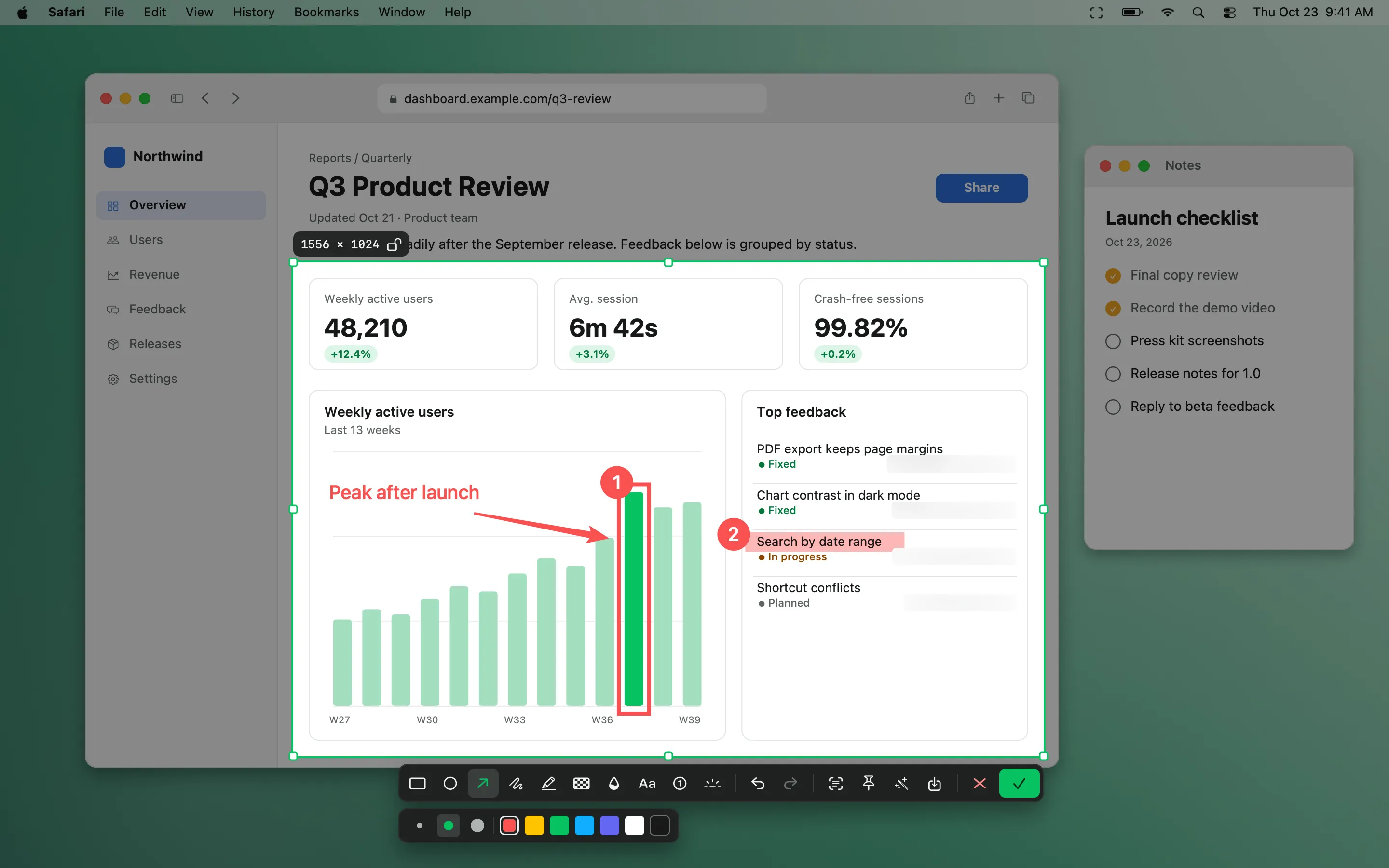
Screenshot & annotate
Area, window and full-screen capture with 10 annotation tools, an editor and one-click beautify.
Learn more →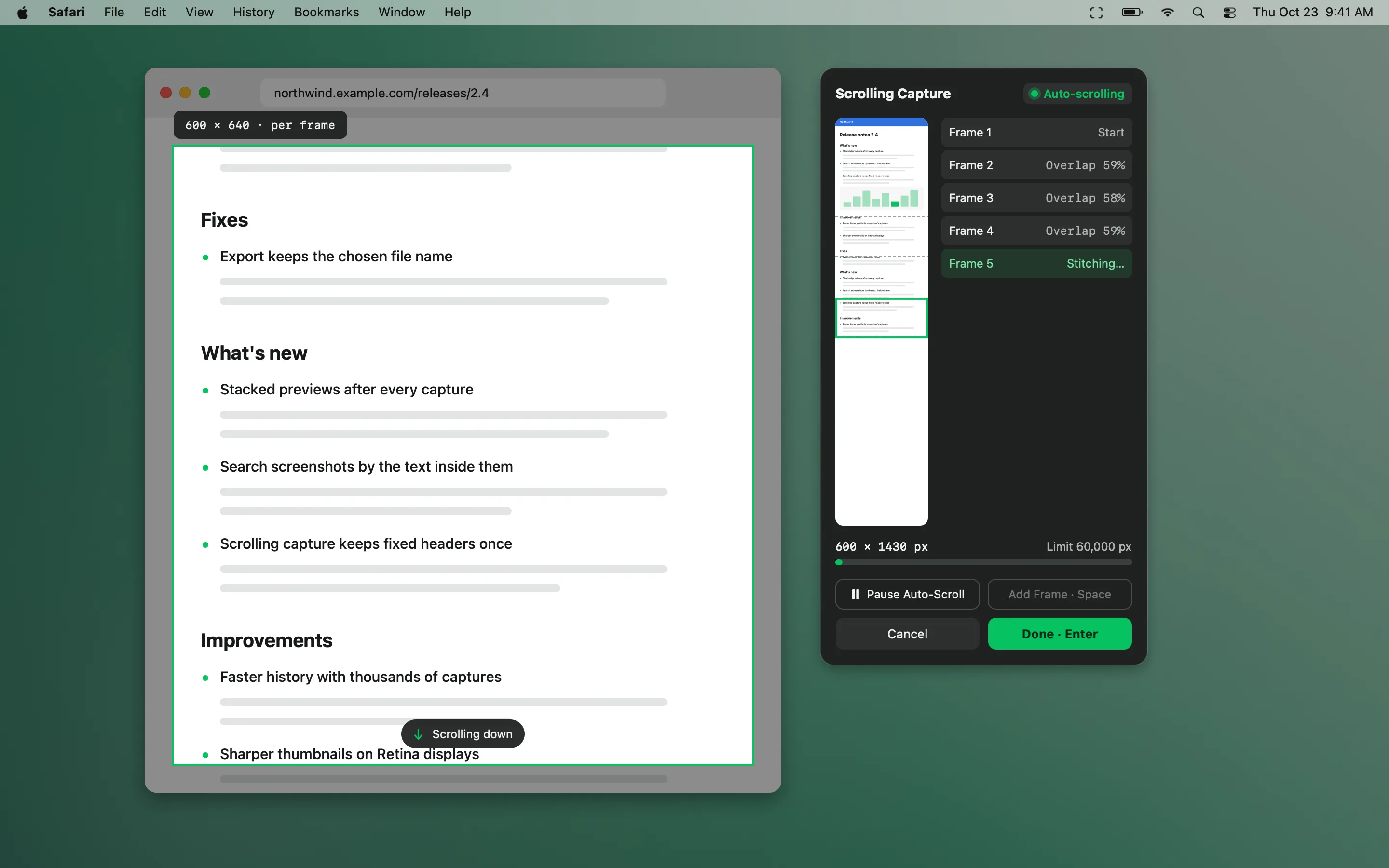
Scrolling capture
Stitch long pages, chats and documents into one tall image — scroll yourself or let NeatShot scroll.
Learn more →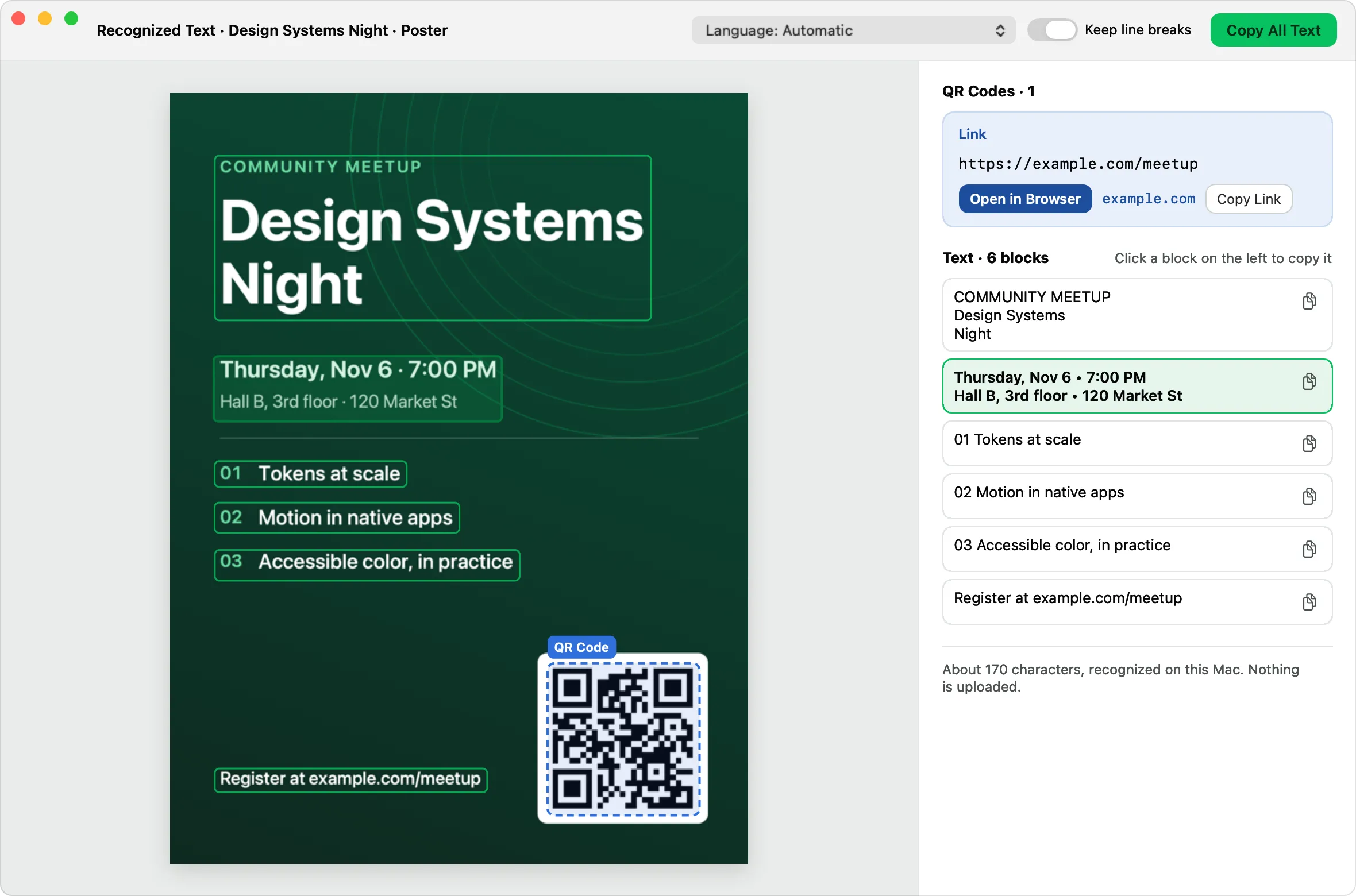
OCR & QR codes
Recognize text and QR codes on-device, copy any block, and search history by the words inside images.
Learn more →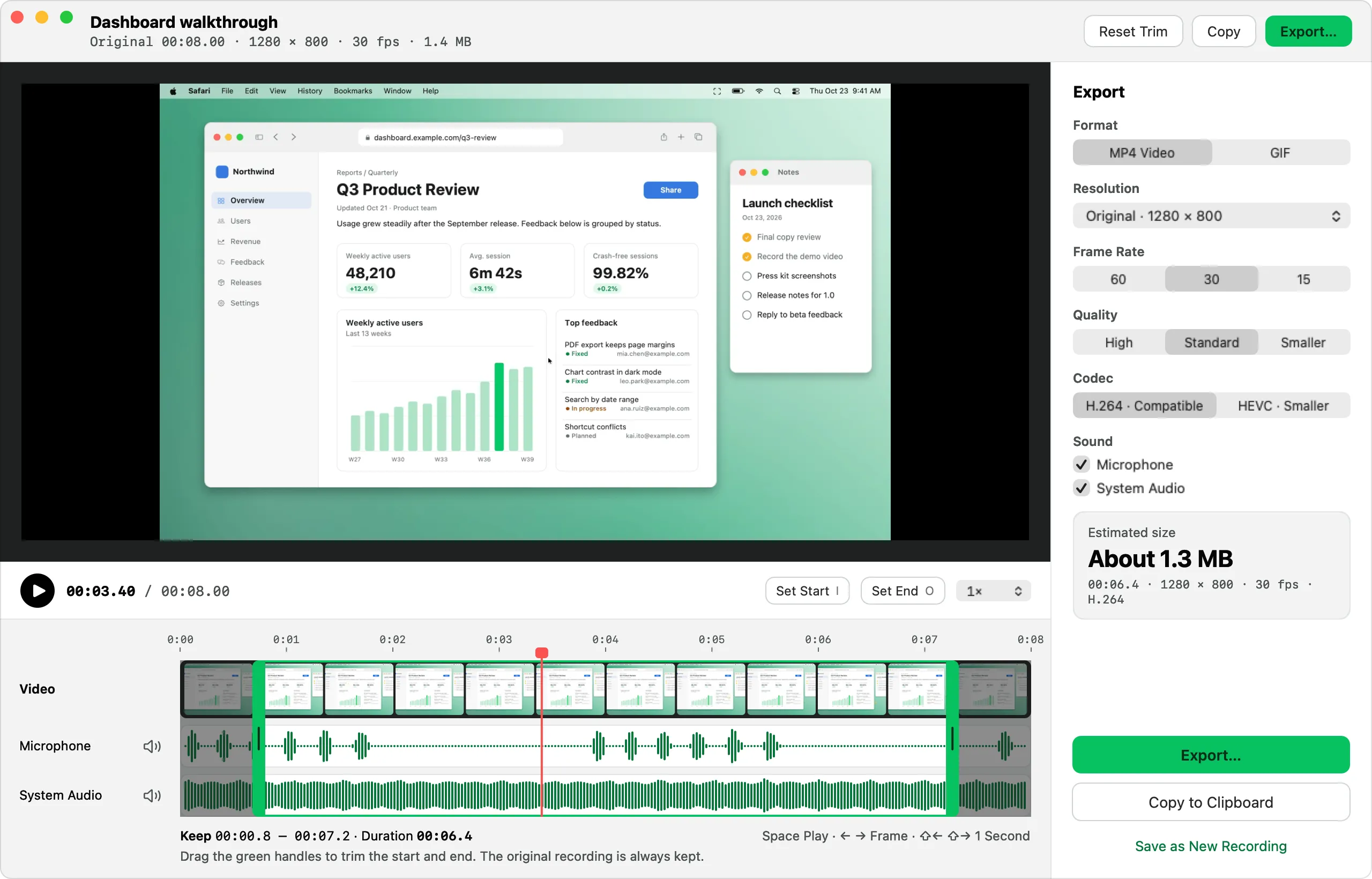
Screen recording & GIF
Record MP4 or GIF with microphone, system audio, camera, clicks and keystrokes, then trim and export.
Learn more →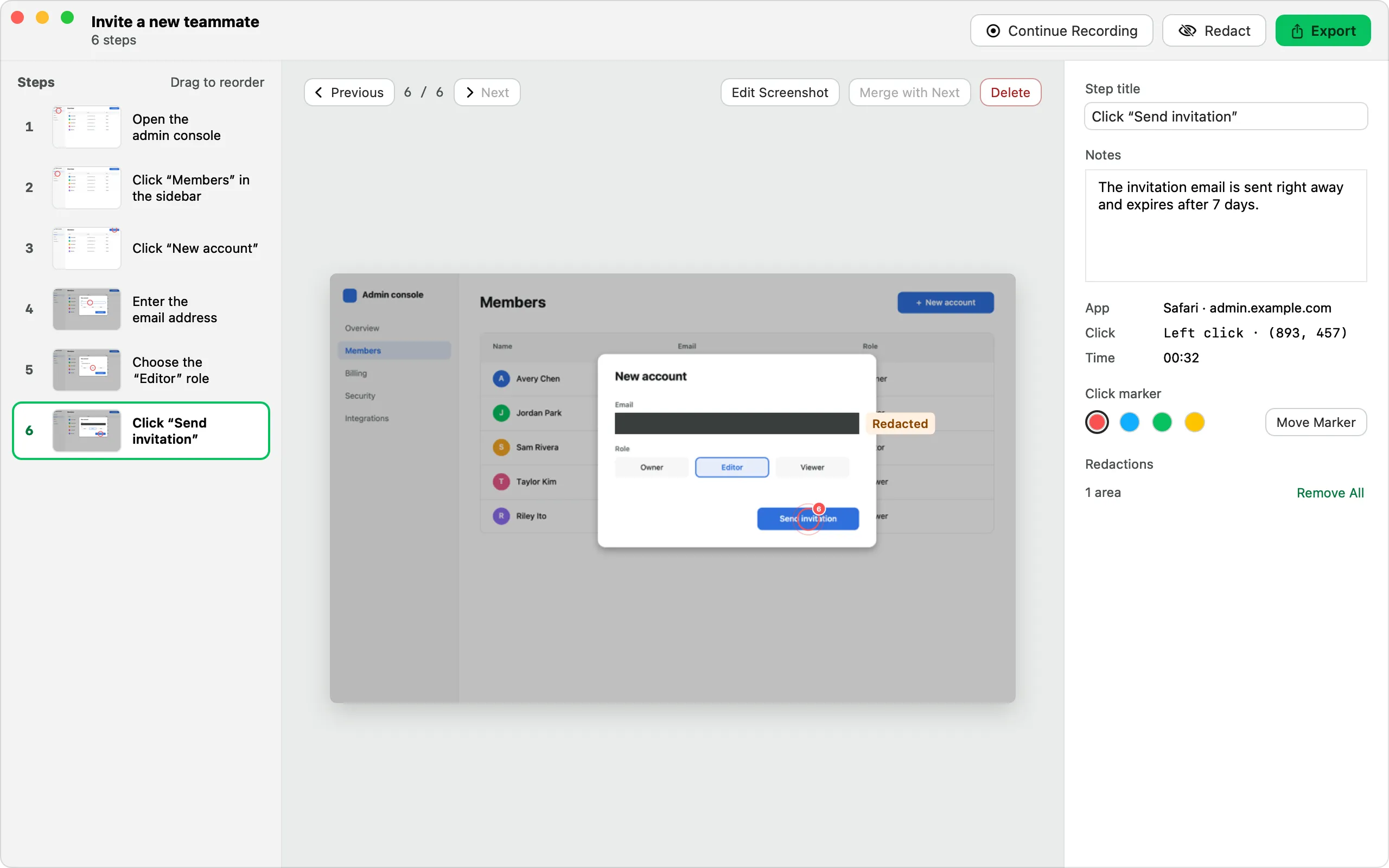
Step-by-step guides
Click through a task and get a numbered guide with screenshots, ready to export as HTML, Markdown or PDF.
Learn more →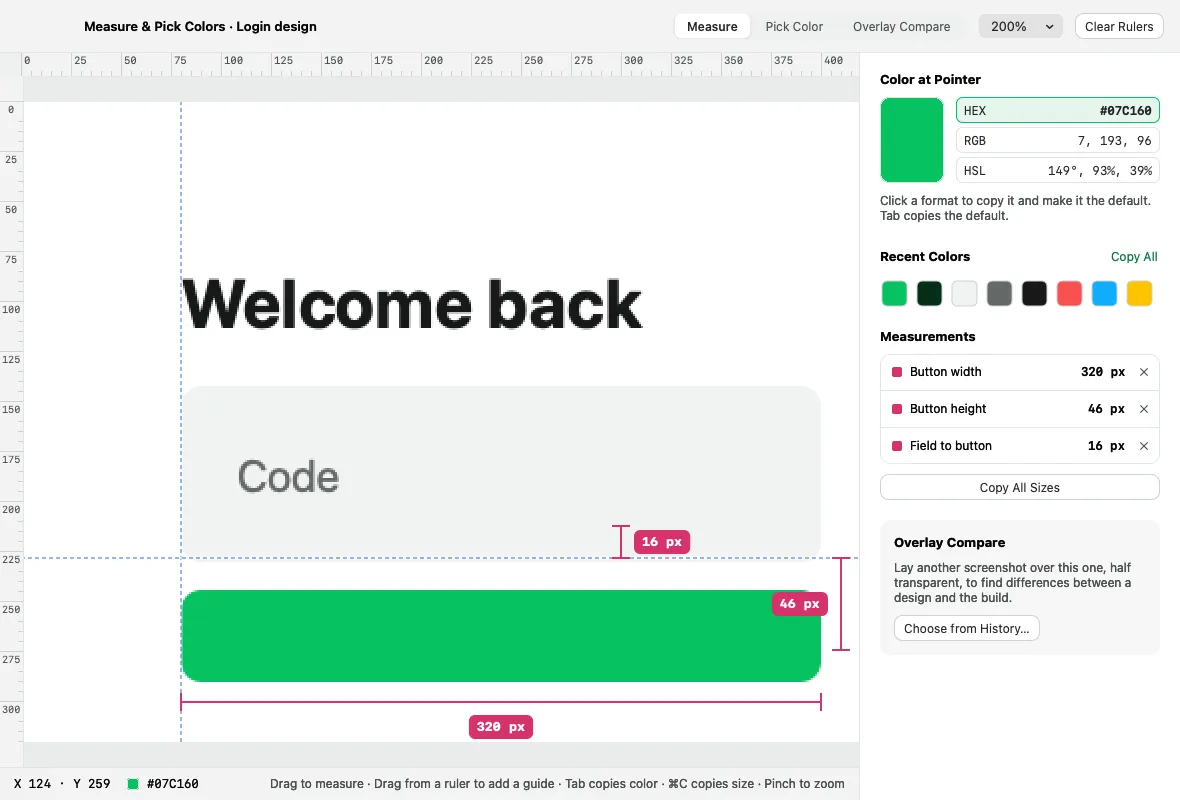
Pins & pixel inspector
Float captures above your windows, and measure, pick colors and compare designs in physical pixels.
Learn more →Also included
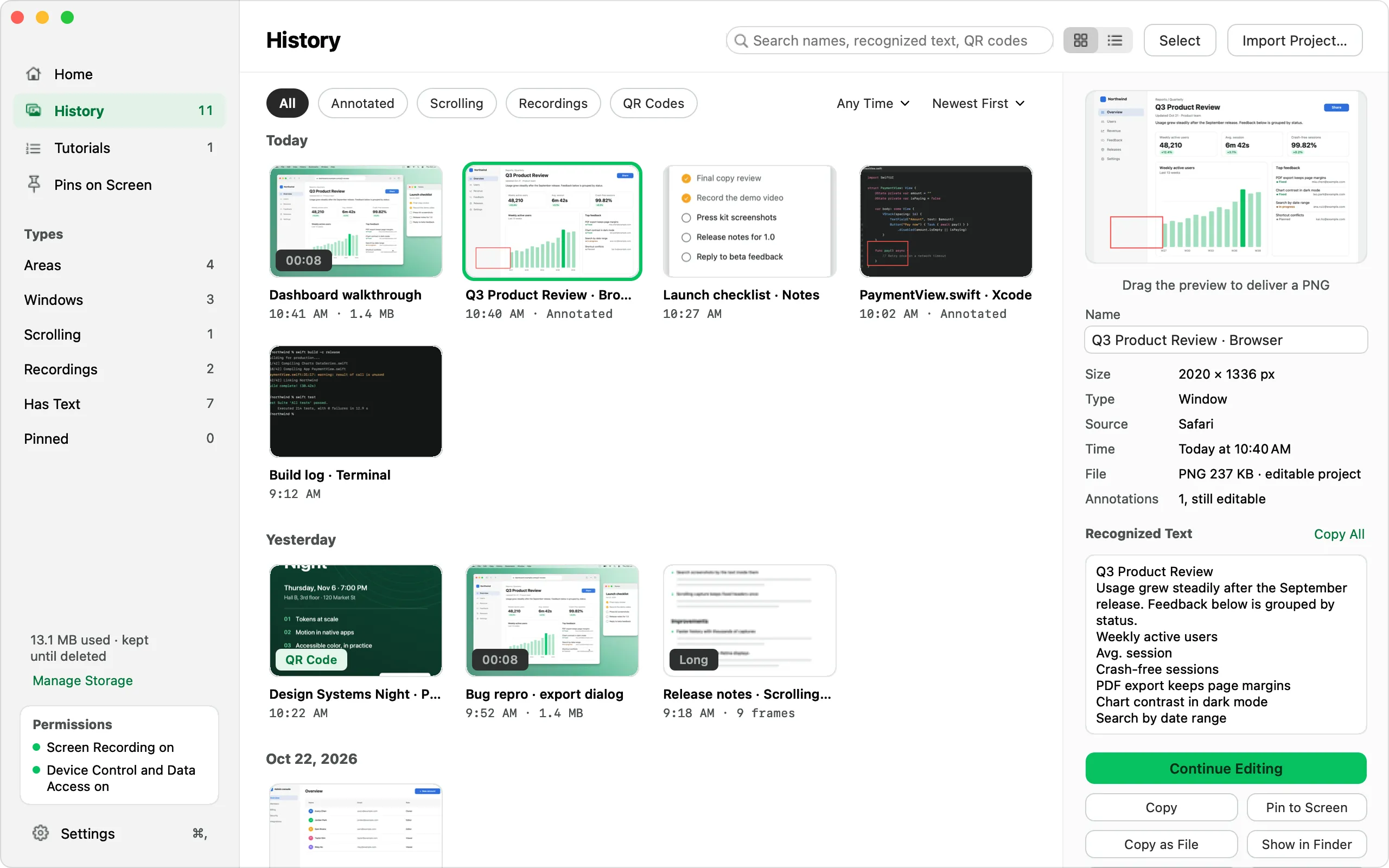
Capture history
Grouped by day and searchable by name, recognized text and QR codes. Filter by type, text, annotated or pinned.
Editor & beautify
Editable .enshot projects with layers, crop and a non-destructive background, padding, corner radius, shadow and aspect ratio.
Quick overlay
A card stack in the corner after each capture: copy, save, edit, pin, recognize text, beautify — or drag the card out.
Save your way
PNG, JPEG or HEIC, with file-name templates using {date}, {time}, {app}, {title} and {size}.
URL automation
Trigger captures from Shortcuts, Raycast or scripts with enshot:// links. Off by default.
Menu-bar first
The three latest captures sit at the top of the menu, ready to open or drag.