 NeatShot
Copy text from anything on screen
Press ⌃⌥T and select the area. Recognized text is highlighted in blocks — click one to copy it, or copy everything at once.
macOS 14 Sonoma or later · Apple silicon & Intel
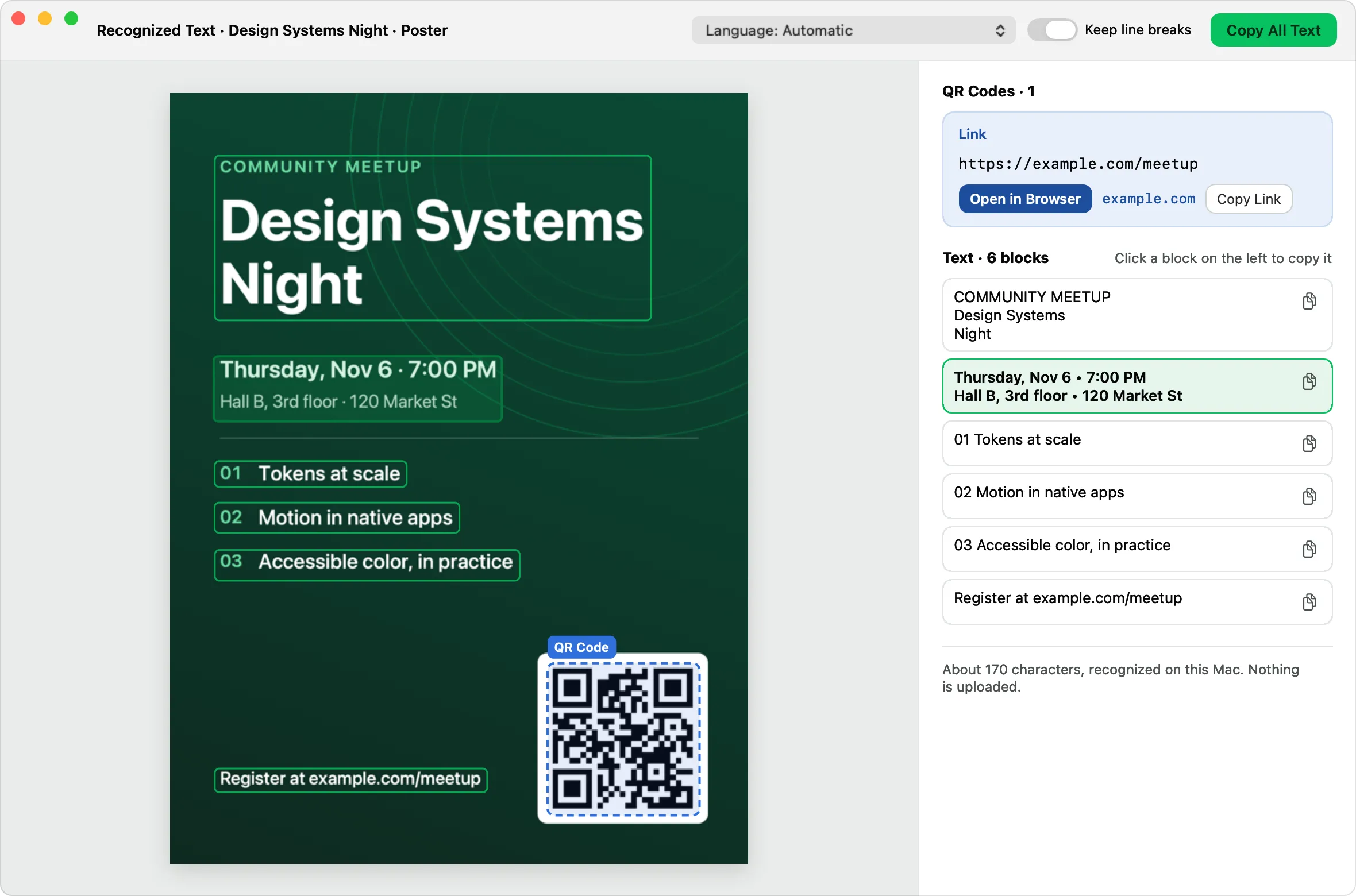
On-device
Recognition runs locally with Apple's Vision framework. Nothing is uploaded.
Click to copy
Every text block is clickable; keep or drop line breaks as you like.
Recognition language
Automatic, or choose the language for better results.
QR codes
Detected codes appear as cards: copy the content or open http(s) links.
Searchable history
Search past captures by the text and QR codes inside them.
Copy text from anything on screen
- Press ⌃⌥T.
- Select the text on screen.
- Click a block to copy it, or Copy All Text.
Frequently asked questions
Does NeatShot's OCR work offline?
Yes. It uses Apple's on-device Vision framework, so it works without a network connection.
Which languages can it recognize?
The languages supported by Apple Vision on your version of macOS, including English, Chinese, Japanese, Korean and major European languages.
More features
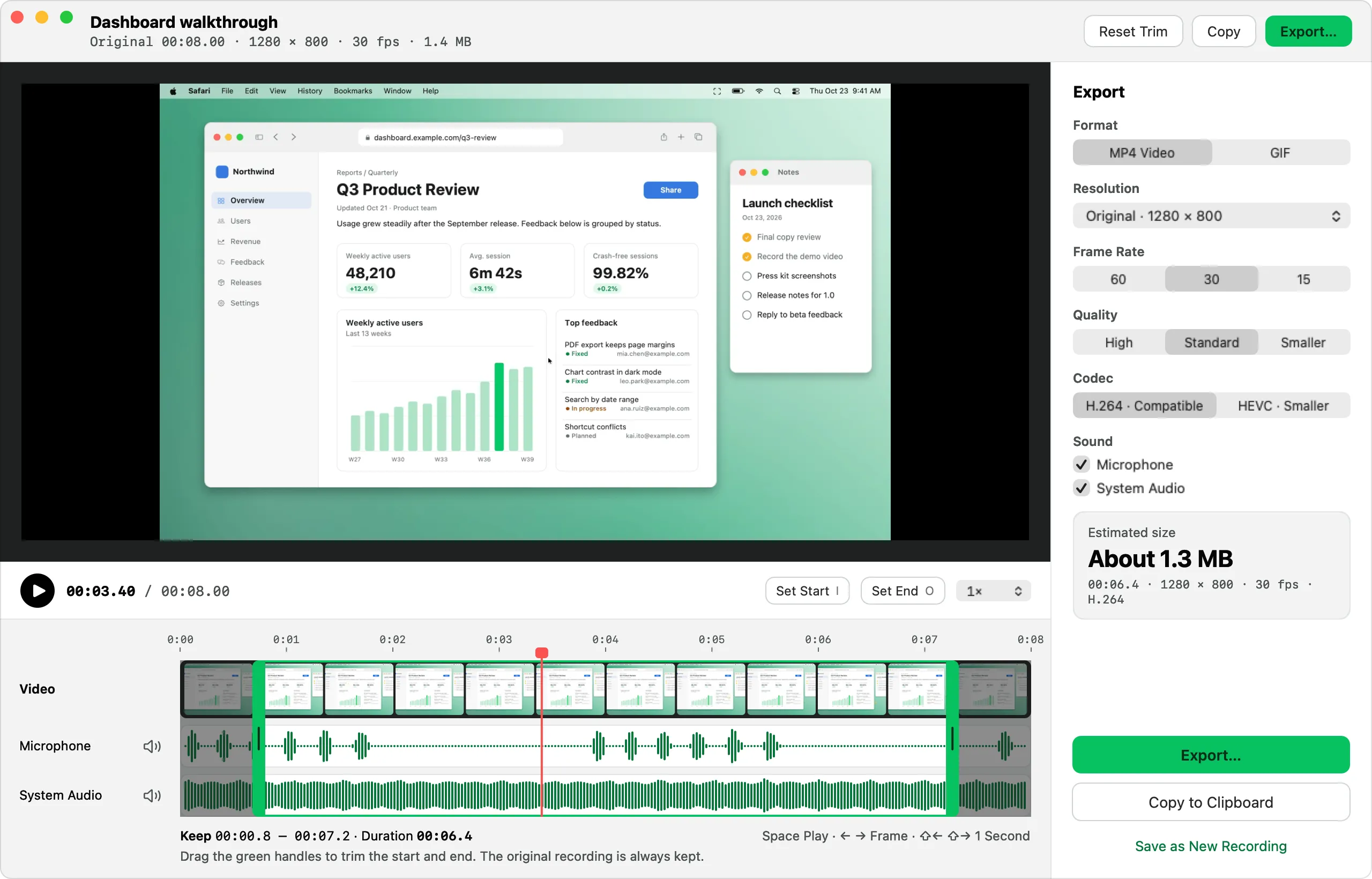
Screen recording & GIF
Record MP4 or GIF with microphone, system audio, camera, clicks and keystrokes, then trim and export.
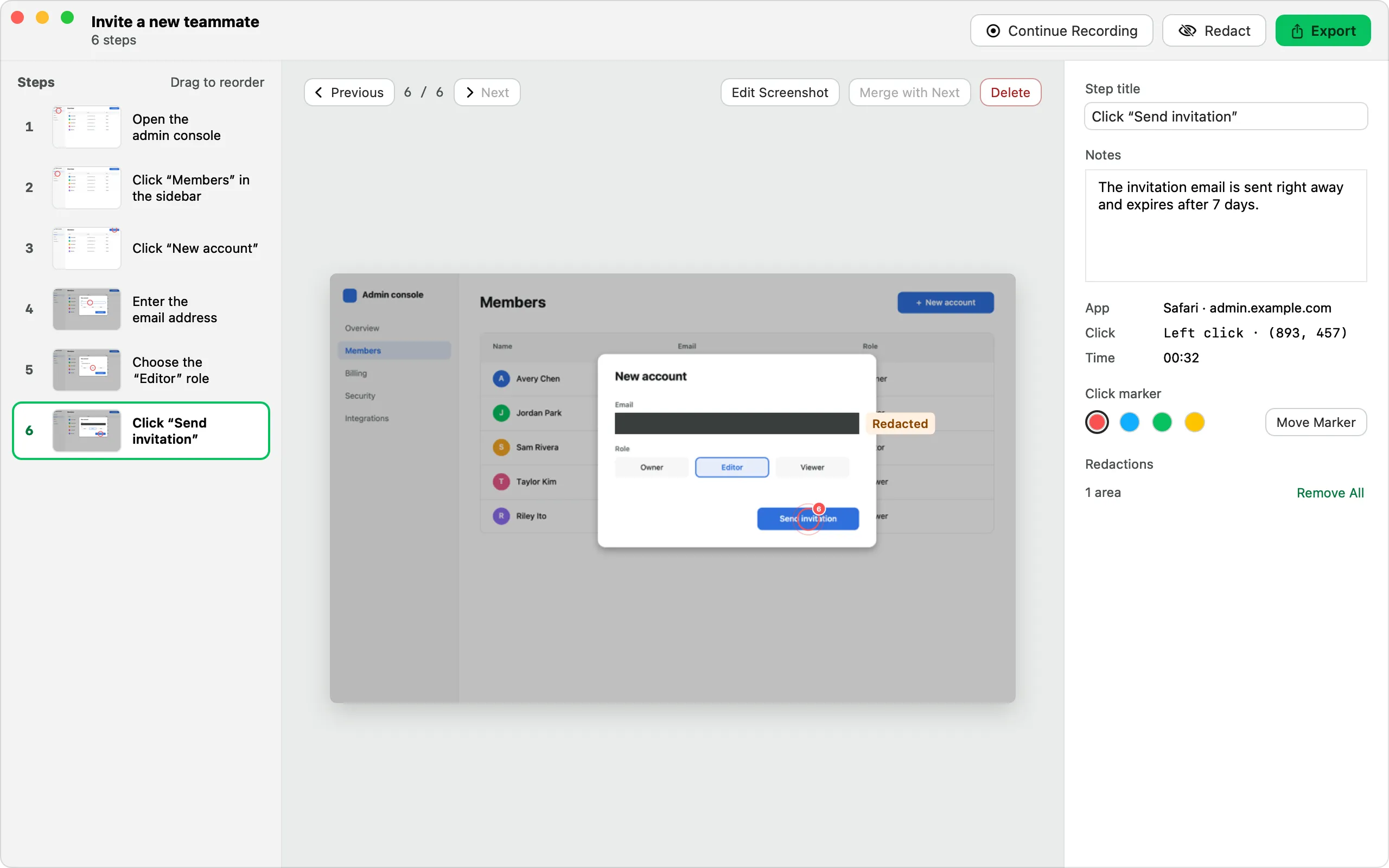
Step-by-step guides
Click through a task and get a numbered guide with screenshots, ready to export as HTML, Markdown or PDF.
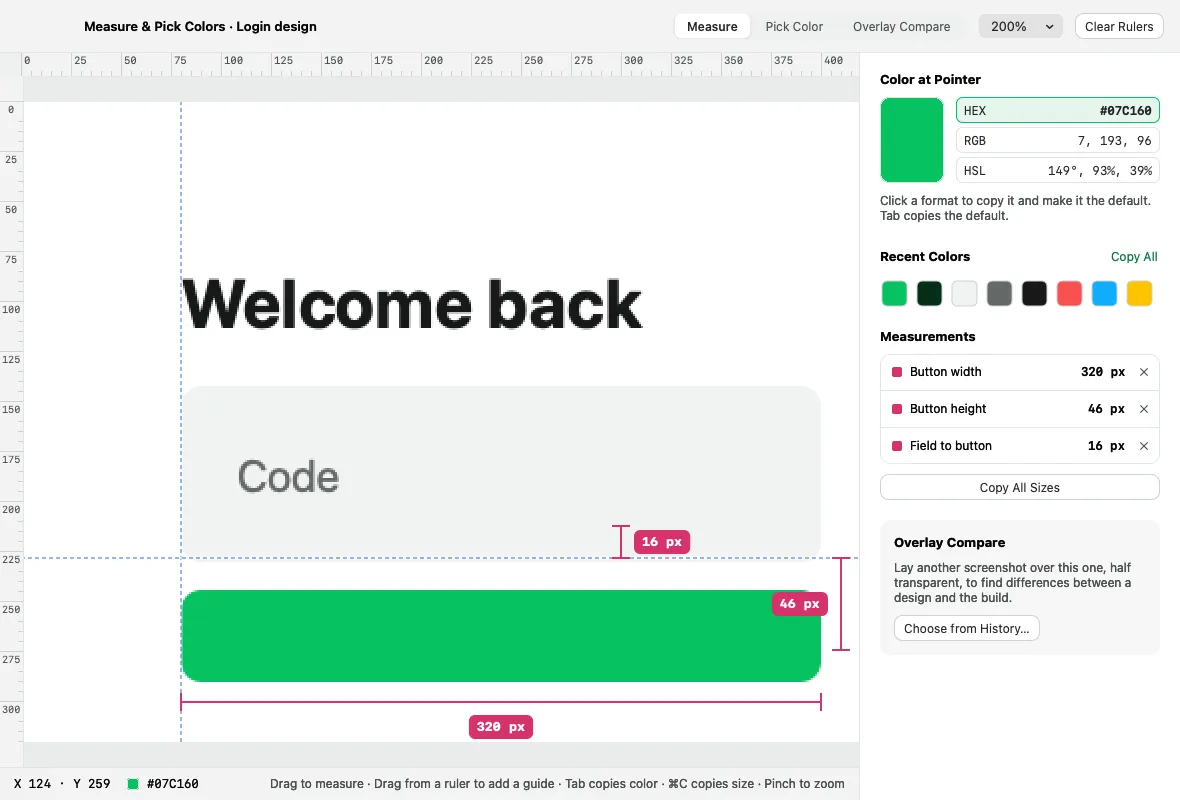
Pins & pixel inspector
Float captures above your windows, and measure, pick colors and compare designs in physical pixels.