AI assistants & CLI
Screenshots and recordings, on command
Turn on AI assistants and the command line in Settings › Automation. Then an assistant can capture what's on your screen through NeatShot's MCP server, and your scripts can do it with the neatshot command.
macOS 14 Sonoma or later · Apple silicon & Intel
How are weekly active users doing in the Q3 review I have open in Safari?
capture_screenshot app: "Safari"
recognize_text 6 text blocks
Weekly active users are at 48,210, up 12.4%. Crash-free sessions are at 99.82%.
$ neatshot capture window --app Safari -o review.png/Users/you/review.png$ neatshot ocr review.pngQ3 Product Review Weekly active users 48,210 +12.4%$ neatshot capture phone --frame -o phone.png/Users/you/phone.png$ neatshot record start window --app Keynote --mic --clicksRecording. Stop it with: neatshot record stop
- 20 toolsCapture a display, window or region, scroll a long page, read text and QR codes, search and reopen history, pin, copy, and capture a connected phone.
- Recording has its own switchAssistants can start a screen recording only if you also allow it. You see NeatShot's recording frame the whole time and can stop it.
- Permissions stay with NeatShotAssistants talk to the running app over a local connection, so your terminal, editor or assistant never needs Screen Recording permission.
- Paste and connectSettings › Automation copies a ready-made configuration for Claude Desktop, Cursor and other MCP clients.
- A real command lineneatshot capture, ocr, qr, record, scroll, pin, history and more, with --json output and exit codes for scripts.
- You're always toldNeatShot tells you the first time each assistant captures your screen, and its captures land in your history.
How it works
- Open NeatShot Settings › Automation and turn on Allow AI assistants and the command line.
- Click Copy next to Assistant configuration and paste it into your assistant's MCP settings, or install the command line tool.
- Ask your assistant to take a screenshot, or run neatshot capture window --app Safari in Terminal.
Frequently asked questions
Which assistants work with NeatShot?
Any MCP client that starts local servers, such as Claude Desktop, Claude Code and Cursor. They run NeatShot with --mcp, which passes their requests to the running app.
Can an assistant see my screen whenever it wants?
Only while AI assistants are turned on in Settings › Automation, and only when it calls a tool. NeatShot's own windows are never in the shot, and screen recording needs a second switch.
Where is the neatshot command installed?
Install it from Settings › Automation: it's linked into /usr/local/bin with your administrator password, or into ~/.local/bin if you decline.
More features
See all features →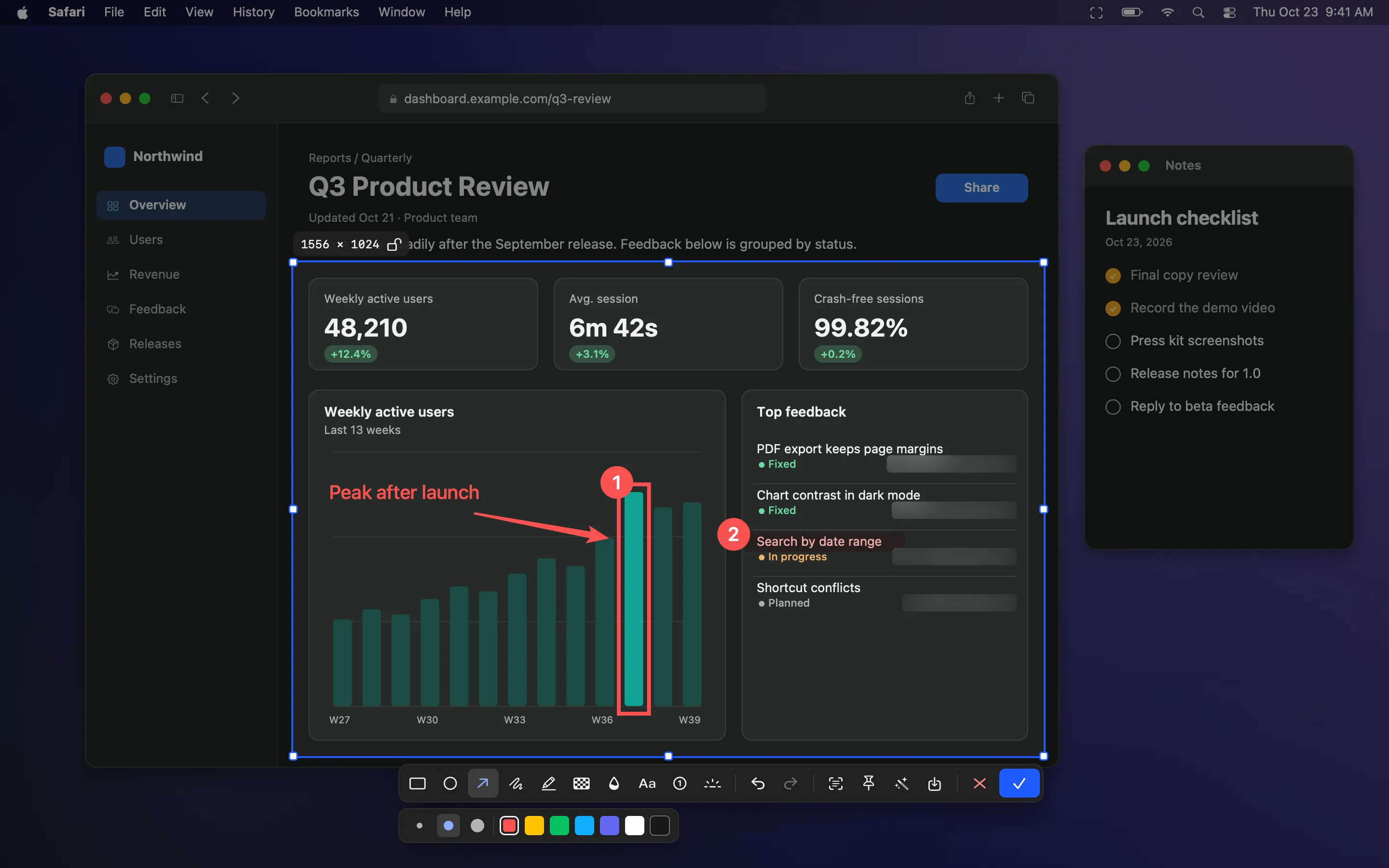
Screenshot & annotate
Area, window and full-screen capture with 11 annotation tools, an editor and one-click beautify.
Learn more →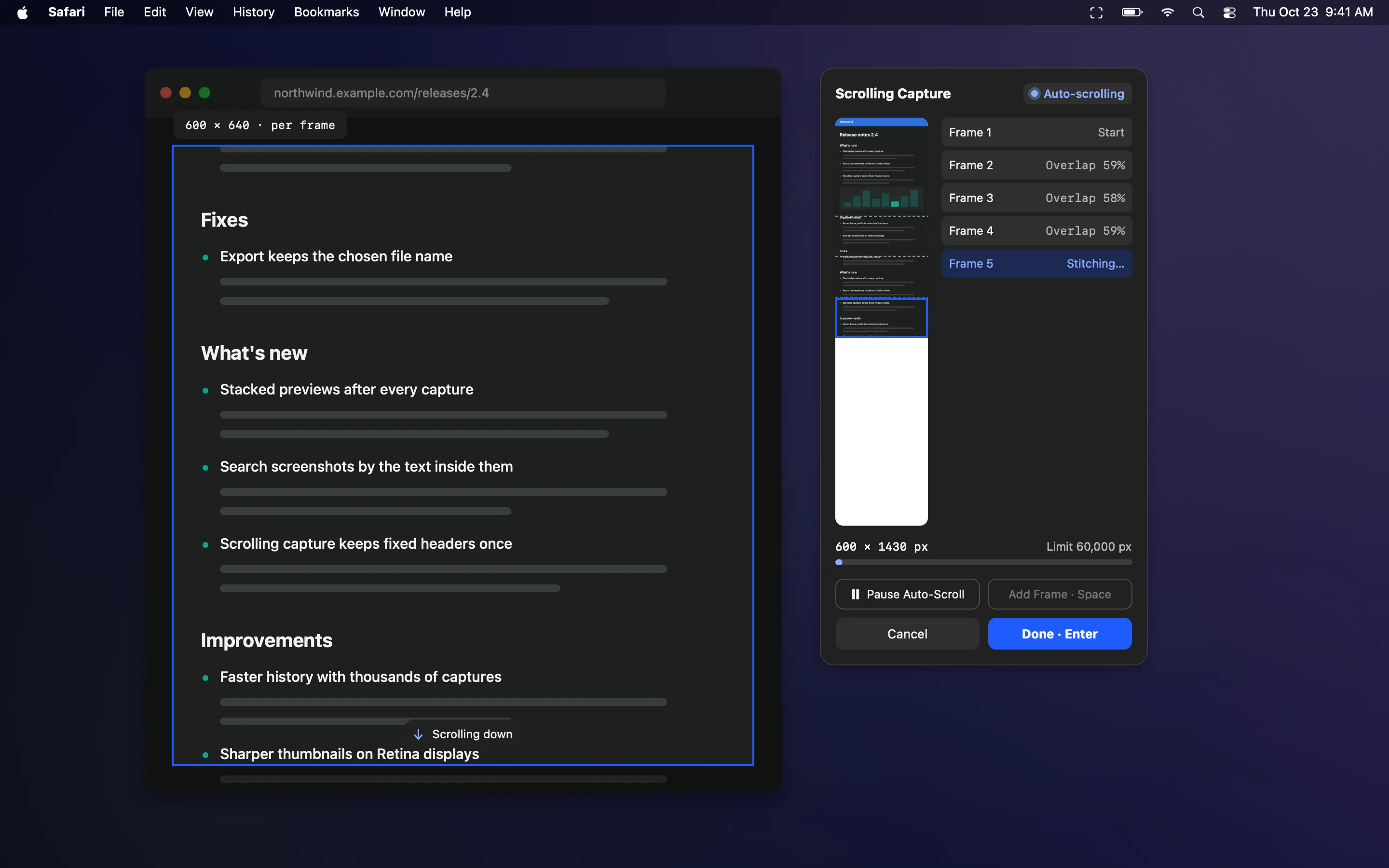
Scrolling capture
Stitch long pages, chats and documents into one tall image — scroll yourself or let NeatShot scroll.
Learn more →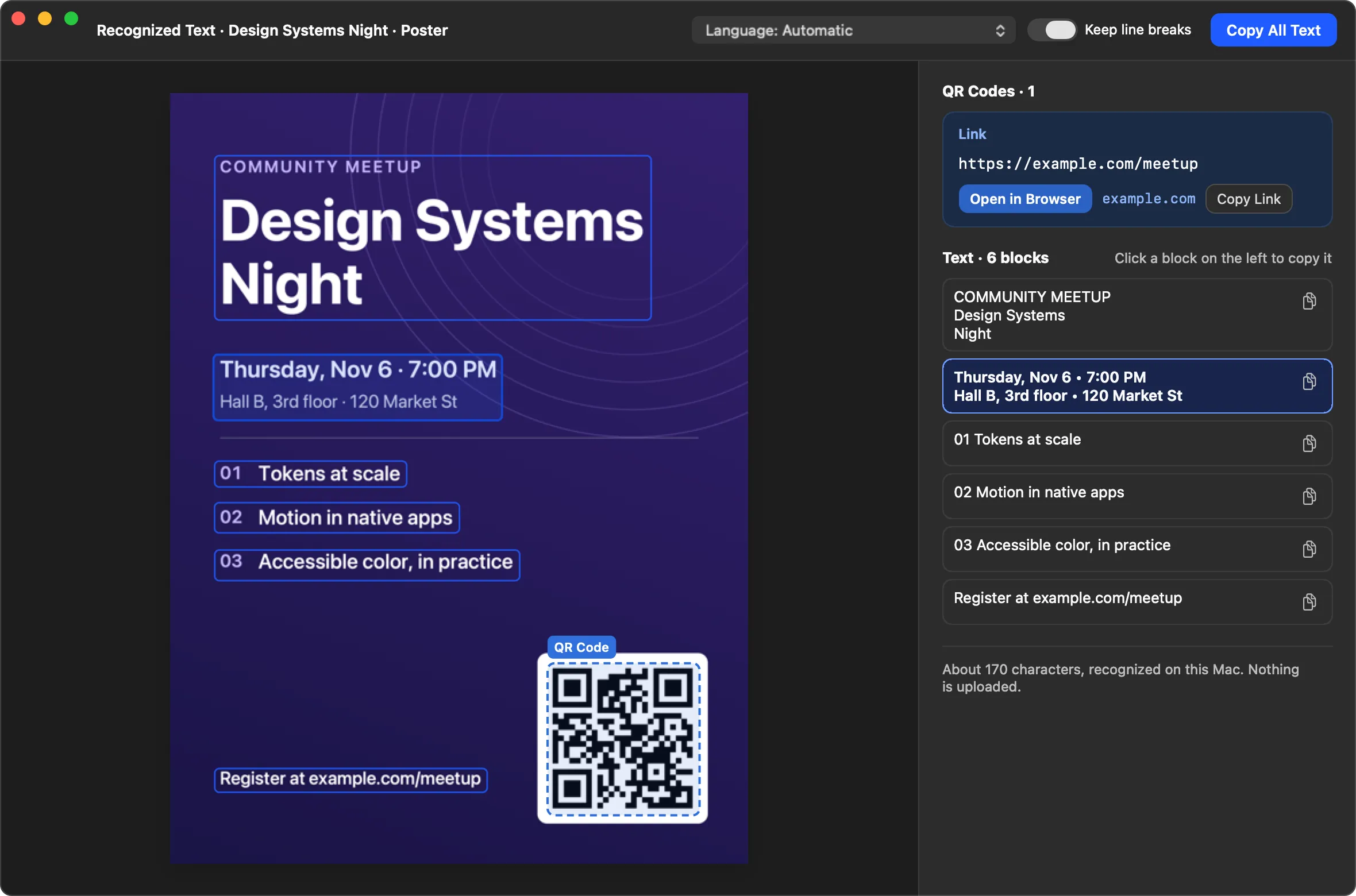
OCR & QR codes
Recognize text and QR codes on-device, copy any block, and search history by the words inside images.
Learn more →
Make your next screenshot a good one.
Free, signed and notarized for macOS 14 Sonoma and later.
macOS 14 Sonoma or later · Apple silicon & Intel